बुधवार, 11 मई 2022

IT-Field Engineer ((IT Field )

[COMPUTER AND INFORMATION OF TECHNOLOGY FIELD]
 IT-Field Engineer Work Installing And Configuring Computer , Hardware, Software, Systems, Networks, Printers, And Scanners. Monitoring and Maintaining Computer Systems And Networks. Computing And Peripheral. Cctv Camera Installation And PC Tech And Laptop Tech  Upgrade And Update ,Windows OS, Antivirus Security,Online Remote Support, Onsite Work IT Support.
 IT-Professionals are the people who build, test, install, repair, and maintain hardware and software within organizations. Some organizations will have an in-house IT team, whereas smaller scale businesses may hire freelance IT professionals for specific tasks.


An IT Specialist, Computer Professional,IT Professional may be: A person working in the field of Information Technology; a person who has undergone training in a Computer-field-related colleges, Universities and Computer institutes; or. A person who has proven extensive knowledge in the area of Computing.


Their responsibilities include diagnosing and repairing faults, resolving network issues, and installing and configuring hardware and software.

Information technology professionals study, design, develop, implement, support, and manage computer-based information systems, including both software applications and computer hardware.


In order to be an IT professional, one typically needs to have a bachelor's degree in computer science or a related field. For some entry-level positions, such as help desk support, a two-year associate's degree may be sufficient. For more advanced positions, such as software engineer or systems architect, employers often prefer candidates who have a master's degree in computer science or a related field. Additionally, IT professionals should have strong problem-solving and analytical skills, as well as experience working with a variety of computer systems and applications


𝐅𝐢𝐞𝐥𝐝 𝐄𝐧𝐠𝐢𝐧𝐞𝐞𝐫𝐬 𝐢𝐧𝐬𝐭𝐚𝐥𝐥, 𝐦𝐚𝐢𝐧𝐭𝐚𝐢𝐧 𝐚𝐧𝐝 𝐫𝐞𝐩𝐚𝐢𝐫 𝐭𝐡𝐞 𝐩𝐡𝐲𝐬𝐢𝐜𝐚𝐥 𝐜𝐨𝐦𝐩𝐨𝐧𝐞𝐧𝐭𝐬 𝐨𝐟 𝐜𝐨𝐦𝐩𝐮𝐭𝐞𝐫 𝐬𝐲𝐬𝐭𝐞𝐦𝐬 𝐚𝐧𝐝 𝐞𝐪𝐮𝐢𝐩𝐦𝐞𝐧𝐭, 𝐨𝐧-𝐬𝐢𝐭𝐞 (𝐚𝐭 𝐨𝐮𝐫 𝐜𝐥𝐢𝐞𝐧𝐭𝐬’ 𝐬𝐢𝐭𝐞𝐬).
𝐑𝐮𝐧𝐧𝐢𝐧𝐠 𝐅𝐢𝐞𝐥𝐝 𝐎𝐩𝐞𝐫𝐚𝐭𝐢𝐨𝐧𝐬, 𝐎𝐟𝐟𝐞𝐫𝐢𝐧𝐠 𝐓𝐞𝐜𝐡𝐧𝐢𝐜𝐚𝐥 𝐒𝐮𝐩𝐩𝐨𝐫𝐭, 𝐀𝐧𝐝 𝐓𝐫𝐨𝐮𝐛𝐥𝐞𝐬𝐡𝐨𝐨𝐭𝐢𝐧𝐠 𝐎𝐧-𝐒𝐢𝐭𝐞 𝐈𝐬𝐬𝐮𝐞𝐬
𝐅𝐢𝐞𝐥𝐝 𝐄𝐧𝐠𝐢𝐧𝐞𝐞𝐫 𝐃𝐮𝐭𝐢𝐞𝐬 𝐔𝐬𝐮𝐚𝐥𝐥𝐲 𝐈𝐧𝐜𝐥𝐮𝐝𝐞 𝐈𝐧𝐬𝐩𝐞𝐜𝐭𝐢𝐧𝐠 𝐀𝐧𝐝 𝐈𝐧𝐬𝐭𝐚𝐥𝐥𝐢𝐧𝐠 𝐄𝐪𝐮𝐢𝐩𝐦𝐞𝐧𝐭 𝐀𝐧𝐝 𝐍𝐞𝐰 𝐓𝐞𝐜𝐡𝐧𝐨𝐥𝐨𝐠𝐢𝐞𝐬.

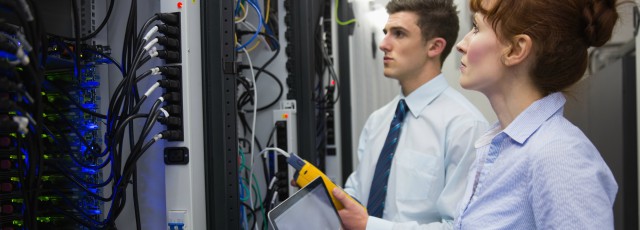
IT Field Engineers maintain and repair the computer systems people use every day. They use skills in technology and implementation to troubleshoot and design new information technology systems. If you are knowledgeable about computer technology and skilled in problem-solving, a job in this field may be perfect for you.

Field Engineer responsibilities typically include handling maintaining, monitoring, installing and providing support for network hardware, software and communication links.
A field engineer is responsible for maintaining the integrity of the equipment that is on the site. They are responsible for the testing machinery to make sure that it works and meets safety regulations. A few of the main duties of a field engineer are conducting research, installing new technologies, monitoring activities at the assigned area, and doing quality control work. They also have to create reports of the area to ensure that all requirements are being met. Some of the jobs titles that a field engineer could grow into are engineering manager and senior field engineer.
 

A field engineer should have two years of experience in a similar role as well as a Bachelor's degree in engineering. One of the most important skills that a field engineer will have is great attention to detail. Another skill is self motivated as the field engineer will have to work independently at the assigned site.

Responsibilities for Field Engineer

Create reports about the assigned site

Test equipment to make sure it meets safety regulations

Monitor activities at the assigned site

Install new technology at the assigned site

Maintain the equipment at the site

Conduct research at the assigned site

Assist in the preparation of a new site

Coordinate with other employees to maintain company equipment

Qualifications for Field Engineer

Bachelor's degree in  computer related and engineering

Incredible problem solving abilities

Ability to diagnose problems with equipment

Ability to communicate with clients

Ability to create concise reports

Collaboration skills to work with any team

System Admin


The primary responsibility of a sysadmin is to support reliable and effective use of complex IT systems by end users, whether internal employees or external customers. Activities range from managing identities and access to providing dedicated technical support to individual users.

This System Administrator job description template is optimized for posting to online job boards or careers pages and easy to customize for your company.

System Administrator responsibilities include:

  • Installing and configuring software, hardware and networks
  • Monitoring system performance and troubleshooting issues
  • Ensuring security and efficiency of IT infrastructure

system administrator job description

Job brief

We are looking for a System Administrator to maintain, upgrade and manage our software, hardware and networks.

Resourcefulness is a necessary skill in this role. You should be able to diagnose and resolve problems quickly. You should also have the patience to communicate with a variety of interdisciplinary teams and users.

Your goal will be to ensure that our technology infrastructure runs smoothly and efficiently.

Responsibilities

  • Install and configure software and hardware
  • Manage network servers and technology tools
  • Set up accounts and workstations
  • Monitor performance and maintain systems according to requirements
  • Troubleshoot issues and outages
  • Ensure security through access controls, backups and firewalls
  • Upgrade systems with new releases and models
  • Develop expertise to train staff on new technologies
  • Build an internal wiki with technical documentation, manuals and IT policies

Requirements and skills

  • Proven experience as a System Administrator, Network Administrator or similar role
  • Experience with databases, networks (LAN, WAN) and patch management
  • Knowledge of system security (e.g. intrusion detection systems) and data backup/recovery
  • Ability to create scripts in Python, Perl or other language
  • Familiarity with various operating systems and platforms
  • Resourcefulness and problem-solving aptitude
  • Excellent communication skills
  • BSc/Ba in Information Technology, Computer Science or a related discipline; professional certification (e.g. Microsoft Certified Systems Administrator (MCSA)) is a plus

Frequently asked questions

What does a System Administrator do?

System Administrators organize, install and support an organization's computer systems. These include local area networks (LAN), wide area networks (WAN) and other data communication systems such as intranets or internet cafes within their company.

What are the duties and responsibilities of a Systems Administrators?

System Administrators are responsible for managing, troubleshooting and proactively updating hardware and software assets to prevent downtime or zero-day exploits from occurring.

What makes a good Systems Administrators?

A good System Administrator must have excellent communication skills since they work directly with employees across an organization to understand their needs and ensure all employees can work as efficiently as possible. They also need a strong technical understanding of information systems to address issues that arise across the organization.

Who does a System Administrator work with?

Though firms in the computer industry employ many System Administrators, they also work across all industries. Some may work for financial companies, while others work in hospitals or local government offices. System Administrators work alongside IT Analysts to further understand the technology they manage....


Computer Network


 A computer network, also referred to as a data network, is a series of interconnected nodes that can transmit, receive and exchange data, voice and video traffic. Examples of nodes in a network include servers or modems. Computer networks commonly help endpoint users share resources and communicate...

1. Personal Area Network (PAN)

The smallest and most basic type of network, a PAN is made up of a wireless modem, a computer or two, phones, printers, tablets, etc., and revolves around one person in one building. These types of networks are typically found in small offices or residences, and are managed by one person or organization from a single device.


2. Local Area Network (LAN)

We’re confident that you’ve heard of these types of networks before – LANs are the most frequently discussed networks, one of the most common, one of the most original and one of the simplest types of networks. LANs connect groups of computers and low-voltage devices together across short distances (within a building or between a group of two or three buildings in close proximity to each other) to share information and resources. Enterprises typically manage and maintain LANs.


Using routers, LANs can connect to wide area networks (WANs, explained below) to rapidly and safely transfer data.


3. Wireless Local Area Network (WLAN)

Functioning like a LAN, WLANs make use of wireless network technology, such as Wi-Fi. Typically seen in the same types of applications as LANs, these types of networks don’t require that devices rely on physical cables to connect to the network.


4. Campus Area Network (CAN)

Larger than LANs, but smaller than metropolitan area networks (MANs, explained below), these types of networks are typically seen in universities, large K-12 school districts or small businesses. They can be spread across several buildings that are fairly close to each other so users can share resources.


5. Metropolitan Area Network (MAN)

These types of networks are larger than LANs but smaller than WANs – and incorporate elements from both types of networks. MANs span an entire geographic area (typically a town or city, but sometimes a campus). Ownership and maintenance is handled by either a single person or company (a local council, a large company, etc.).


6. Wide Area Network (WAN)

Slightly more complex than a LAN, a WAN connects computers together across longer physical distances. This allows computers and low-voltage devices to be remotely connected to each other over one large network to communicate even when they’re miles apart.


The Internet is the most basic example of a WAN, connecting all computers together around the world. Because of a WAN’s vast reach, it is typically owned and maintained by multiple administrators or the public.


7. Storage-Area Network (SAN)

As a dedicated high-speed network that connects shared pools of storage devices to several servers, these types of networks don’t rely on a LAN or WAN. Instead, they move storage resources away from the network and place them into their own high-performance network. SANs can be accessed in the same fashion as a drive attached to a server. Types of storage-area networks include converged, virtual and unified SANs.


8. System-Area Network (also known as SAN)

This term is fairly new within the past two decades. It is used to explain a relatively local network that is designed to provide high-speed connection in server-to-server applications (cluster environments), storage area networks (called “SANs” as well) and processor-to-processor applications. The computers connected on a SAN operate as a single system at very high speeds.


9. Passive Optical Local Area Network (POLAN)

As an alternative to traditional switch-based Ethernet LANs, POLAN technology can be integrated into structured cabling to overcome concerns about supporting traditional Ethernet protocols and network applications such as PoE (Power over Ethernet). A point-to-multipoint LAN architecture, POLAN uses optical splitters to split an optical signal from one strand of singlemode optical fiber into multiple signals to serve users and devices.


10. Enterprise Private Network (EPN)

These types of networks are built and owned by businesses that want to securely connect its various locations to share computer resources.


11. Virtual Private Network (VPN)

By extending a private network across the Internet, a VPN lets its users send and receive data as if their devices were connected to the private network – even if they’re not. Through a virtual point-to-point connection, users can access a private network remotely.


If you have questions about which type of network is right for your organization, or want to learn more about Belden’s network solutions that improve uptime, maintain security, and help improve


शनिवार, 7 मई 2022

IT Professional IT Field


आईटी पेशेवर का परिचय
IT professionals work to create the computer, network, and communication systems that an organization needs, and then work to ensure that these systems are working correctly and efficiently. They must ensure that systems stay secure, technology support is available, and that updates are made as needed.

  आईटी क्षेत्र को दुनिया में सबसे तेजी से बढ़ने वाला और गतिशील उद्योग कहा जाता है। कंप्यूटर हर किसी के जीवन का एक अनिवार्य हिस्सा बन गया है और शिक्षा, संचार, व्यवसाय, मनोरंजन, निर्माण, चिकित्सा, रक्षा, आदि जैसे हर क्षेत्र में उपयोग किया जाता है। उद्यमियों और व्यापारियों के लिए विपणन रणनीति विकसित करने के लिए सूचना प्रौद्योगिकी का उपयोग किया जा रहा है, लेखांकन सॉफ्टवेयर वित्तीय संस्थानों के लिए, कुशल संचार के लिए एक डेटाबेस का विकास, संसाधन प्रबंधन, ग्राहक, आदि, कृषि, रक्षा, चिकित्सा, इंजीनियरिंग, आदि के लिए उपकरणों और उपकरणों का विकास। आईटी पेशेवर अर्थ सूचना प्रौद्योगिकी; इसलिए, किसी भी रूप में कंप्यूटर की दुनिया से जुड़े किसी भी व्यक्ति को आम आदमी की दृष्टि से एक आईटी पेशेवर कहा जा सकता है।


IT 🌏

 *IT Solution vs IT Support vs IT Service* - Teeno IT field ke part hain but kaam aur paise ka farak hai.  **IT Solution** **IT Support** **...